
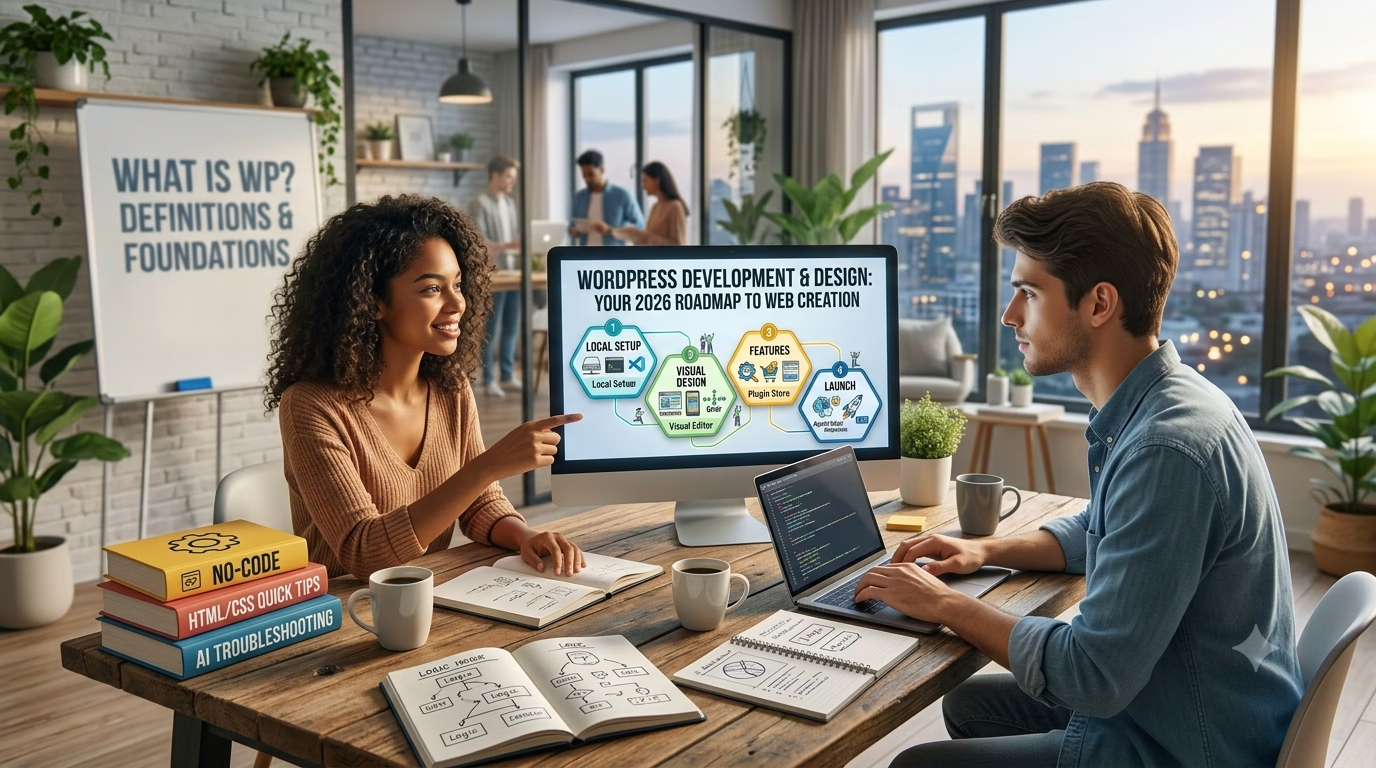
Hey there!
Have you ever looked at a beautiful website and thought, “Man, I wish I could build something like that, but I have absolutely no idea where to start”?
Maybe you’ve heard about WordPress, but it sounds a bit intimidating. Or maybe you’re wondering if you need to know how to code just to create a basic homepage.
Here is the honest truth: You absolutely can learn WordPress, and you don’t need to be a tech genius to do it.
In fact, back in the day, building a website meant writing lines and lines of complicated code. Today? Anyone with a computer and a little bit of patience can create a stunning, professional website from scratch.
If you are ready to stop just thinking about it and actually start building, you are in the right place. Welcome to your ultimate, step-by-step roadmap to learning WordPress in 2026. Let’s dive in!
Stop Watching, Start Building
Reading tutorials is a great first step, but watching videos won’t make you a web creator. Building real projects will.
If you’re ready to skip the guesswork and fast-track your skills, check out our Practical WordPress Course. You won’t just memorize menus—you will build complete, launch-ready business websites and web apps step by step.
What is WordPress?
Think of WordPress as the ultimate digital engine for building websites.
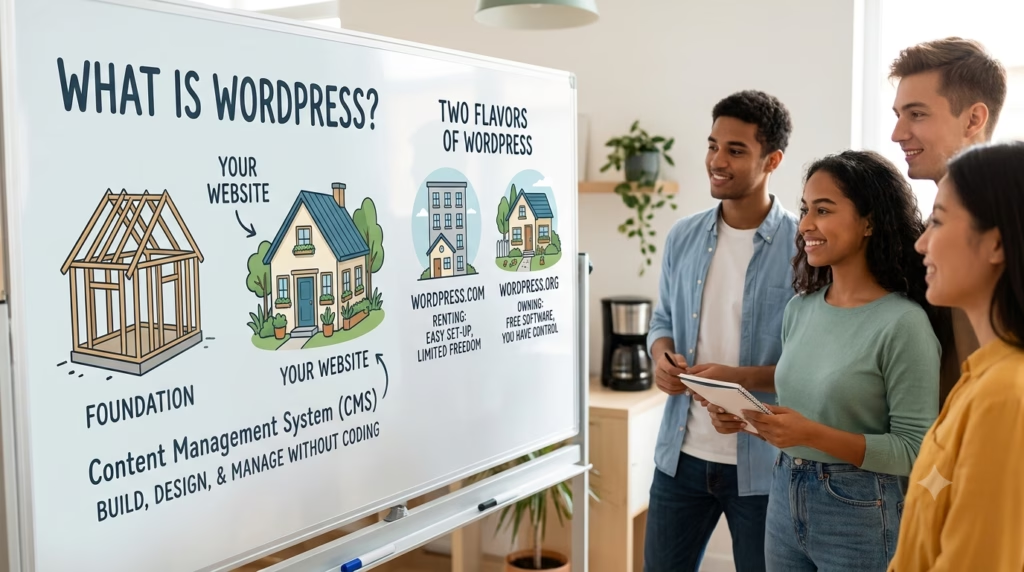
In technical terms, it is a Content Management System (CMS). But in plain English? It is a super user-friendly software that lets you create, design, and manage a website without having to build it from scratch.
Imagine you want to build a house. Instead of chopping down trees, baking bricks, and mixing concrete yourself, WordPress gives you a solid foundation, pre-made walls, and a roof. Your job is simply to move in, decorate the rooms, and make it look exactly how you want.
Today, WordPress powers over 40% of all websites on the internet. That includes everything from tiny personal blogs and local bakery websites to massive online stores and major news outlets.
The Two Flavors of WordPress
When you start out, you will see two different versions. It can be a little confusing, so here is the quick breakdown:
- WordPress.com: This is a hosted platform. It is a bit like renting an apartment—it is easy to set up, but you have strict rules and limited freedom.
- WordPress.org (Self-Hosted): This is the real deal. It is completely free software that you install on your own web hosting. It is like owning your own house—you have 100% control and can build whatever you want. This is the version we are focusing on!
Is WordPress Worth Learning?
You might be wondering: “It’s 2026. With so many AI tools and quick website builders out there, is it actually worth spending my time learning WordPress?”
The short answer is yes, absolutely.
In fact, it is probably one of the most valuable digital skills you can pick up today. Here is why:
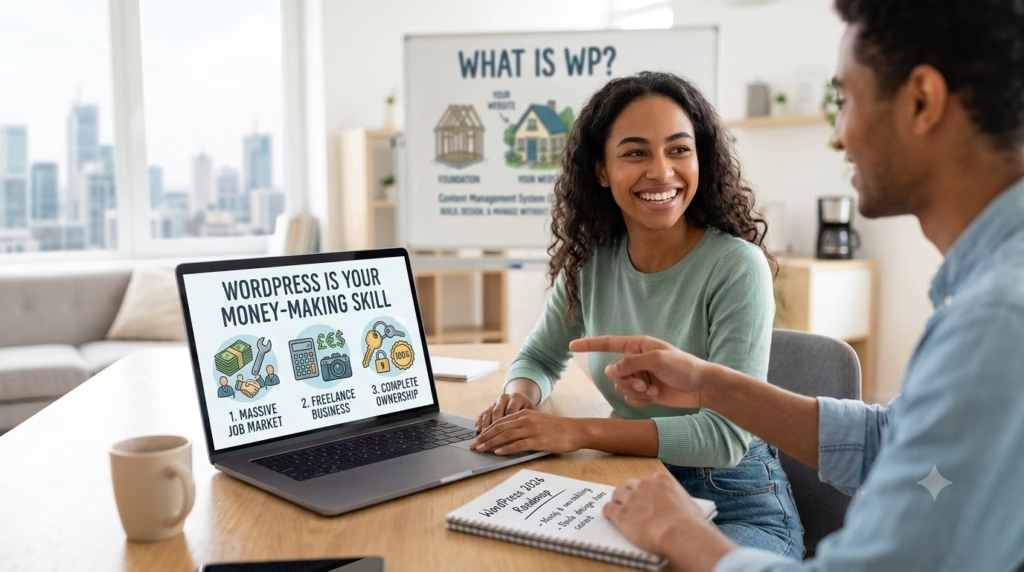
- Massive Job Market: Because WordPress powers such a huge chunk of the web, businesses everywhere are constantly looking for people who know how to manage, update, and build them. Whether you want to work at an agency, get a full-time job, or start freelancing from your couch, the demand is always there.
- The Ultimate Freelancing Skill: If you want to build a side hustle or start a web design business, WordPress is your best friend. You can build professional, custom websites for local clients—like restaurants, real estate agents, or doctors—and charge premium rates.
- Complete Ownership: Unlike closed platforms where you are locked into their system and monthly fees, a self-hosted WordPress site belongs entirely to you. You own your content, your data, and your code. No one can suddenly shut you down or change the rules on you.
- It Grows With You: You can start without knowing a single line of code. But as you get more comfortable, you can learn to tweak the code, build custom themes, and create incredibly complex web apps. It has no ceiling.
Learning WordPress isn’t just about learning a tool—it’s about giving yourself a highly marketable skill that can generate income for years to come.
Can You Learn WordPress Without Coding?
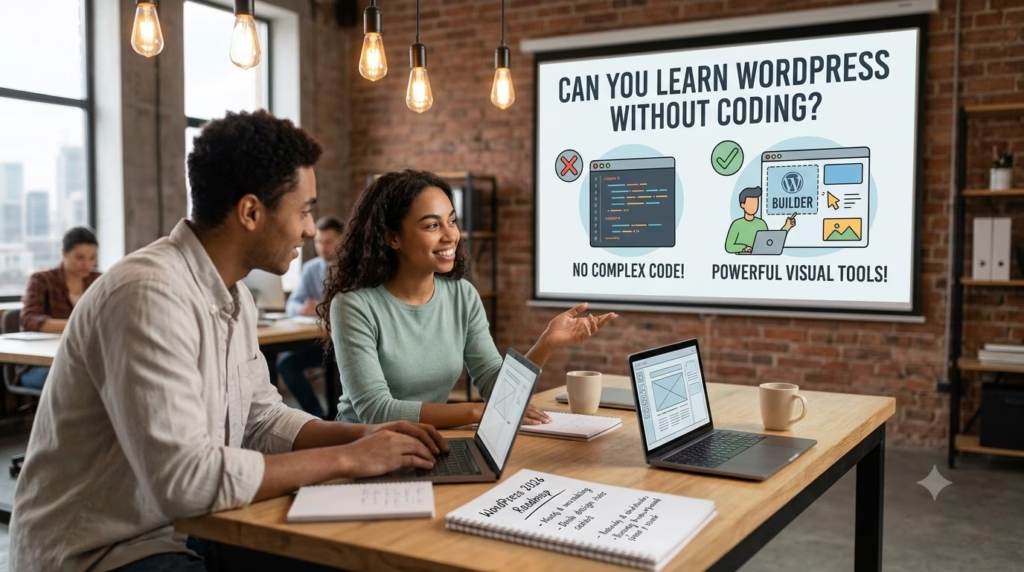
This is the number one question most beginners ask, and the answer is a resounding yes! You can absolutely build professional, beautiful, and fully functional websites using WordPress without writing a single line of code.
Years ago, making changes to a website meant staring at a screen full of HTML, CSS, or PHP. But today, the game has completely changed.
WordPress uses incredibly powerful visual page builders (like the built-in Gutenberg editor, or popular tools like Elementor). Building a website now feels more like creating a PowerPoint presentation or designing something in Canva.
Here is how you build without code:
- Drag-and-Drop Editors: Want a heading, a picture, or a contact form? You just click on it, drag it to where you want it on the page, and drop it.
- Ready-Made Themes: Instead of designing a site from scratch, you can install a pre-made theme that gives your site an instant, professional layout. From there, you just swap out the text and images with your own.
- Plugins (The Magic Buttons): Think of plugins like apps for your website. Want to add an online store? Install a plugin. Need a booking calendar for a client? Install a plugin. They add massive features to your site instantly without needing a developer.
The Realistic Truth
While you don’t need code to start or to build incredible client websites, knowing just a tiny bit of basic HTML or CSS down the road is like having a superpower. It allows you to make tiny, precise tweaks easily.
But to get started, launch your first site, and even make money? Zero coding required.
How Long Does It Take to Learn?
The honest answer is: It depends on your goals, but you can start building faster than you think!
Because you don’t need to learn a programming language from scratch, the learning curve is incredibly friendly. Instead of spending months memorizing code syntax, you are mostly learning where buttons are and how layouts work.
Here is a realistic timeline based on what you want to achieve:
- The Basics (1 to 2 Weeks): If you just want to understand how the dashboard works, install a theme, write blog posts, and set up a basic 3-page business website, you can easily wrap this up in a couple of weeks of casual learning.
- The Custom Creator (1 Month): If you want to master visual drag-and-drop page builders (like Elementor), learn how to structure layout grids, configure contact forms, and make your sites look pixel-perfect on mobile phones, give yourself about a month of solid practice.
- The Freelancer Level (2 to 3 Months): To confidently build and sell websites to real clients, you will need a bit more time. This involves learning how to set up online stores (e-commerce), managing website backups, handling security, and practicing on a few real-world test projects.
The Secret to Speed Running WordPress
The biggest mistake beginners make is spending weeks just watching video tutorials without touching the software.
If you want to cut your learning time in half, build while you learn. Open up a blank site, follow a guide step by step, and actually click the buttons yourself. Real confidence comes from doing, not just watching!
Ready to Fast-Track Your Learning?
Reading about timelines is great, but the absolute fastest way to learn is by rolling up your sleeves and building. If you want to skip the endless video loops and get straight to creating real-world projects, we have you covered.
Our complete roadmap is designed to take you from a total beginner to a confident creator in record time. You will set up your workspace, follow step-by-step guides, and build actual business websites from scratch.
Click Here to Join Our Practical WordPress Course on Udemy and Start Building Today!
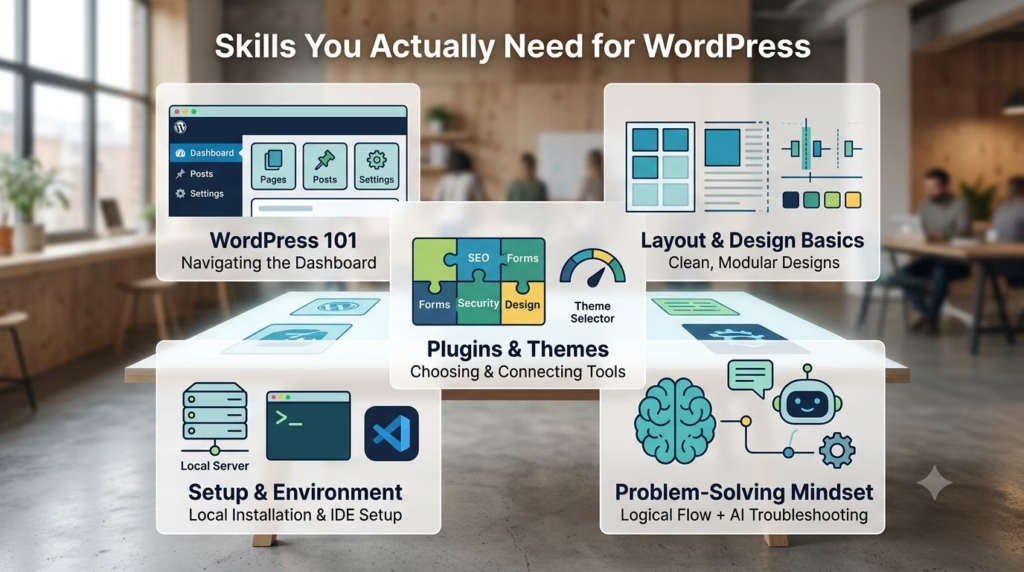
Skills You Actually Need
When you look at massive web development roadmaps online, they can look terrifying. You see demands for JavaScript, PHP, database management, and server administration.
But remember: we are building with WordPress, which handles the heavy lifting for you. You don’t need a computer science degree. Instead, you just need a small, practical toolkit of skills.
Here are the skills you actually need to focus on to get started:
1. Navigating the Dashboard (WordPress 101)
Think of this like learning your way around a new smartphone. You need to know where things live. You’ll practice how to create a new page, how to write a blog post, how to install a theme, and where to find your settings.
Once you get the layout down, everything else becomes a lot less intimidating.
2. Layout & Design Basics (Modular Layouts)
You don’t need to be an award-winning artist, but you do need an eye for clean design. The best websites rely on structured minimalism. This just means learning how to organize information clearly using clean, modular grids.
You’ll learn how to align text, use consistent spacing (padding and margins), and pick two or three clean colors so your site looks professional and easy to read.
3. Understanding Plugins & Themes
Themes control how your site looks, and plugins control what your site does. Your skill here isn’t coding them from scratch—it’s learning how to choose the right ones.
You’ll learn how to pick lightweight, fast-loading themes and how to connect essential plugins for contact forms, security, and SEO.
4. Basic Setting Up (Installation & IDE Setup)
While you won’t be writing complex code, you will need to learn how to properly set up your local environment and toolings.
Following a proper installation guide and setting up a basic workspace or code editor (like VS Code) on your computer is essential.
It gives you a safe, private sandbox to practice building websites completely for free before you ever pay for web hosting.
5. An “Agentic” Problem-Solving Mindset
This is your ultimate secret weapon. When something doesn’t look right, you don’t need to panic or stare blankly at the screen.
In 2026, the best workflow is to establish your core logic and layout first, and then use AI tools as a helpful pair-programmer to debug or refine the details.
Learning how to ask an AI assistant for a quick snippet of CSS to change a button color or fix a spacing bug will save you hours of frustration!
WordPress vs. Website Builders
When you are starting out, it is easy to look at closed website builders (like Wix, Squarespace, or Shopify) and think, “Why don’t I just use those? They look so simple!”
While those platforms are great for launching a basic, simple site in an afternoon, they come with major hidden trade-offs.
To help you understand the difference, let’s look at a simple comparison table:
| Feature | Closed Website Builders | WordPress (Self-Hosted) |
| Ownership | You are renting. If you stop paying your monthly fee, your site disappears. | You own it completely. Your data, code, and content belong entirely to you. |
| Monthly Cost | Expensive ongoing monthly fees that increase as your traffic grows. | Very low cost. You only pay a small amount for basic web hosting. |
| Customization | Limited. You can only use the exact features and designs they allow. | Infinite. If you can imagine a feature, a plugin or a quick tweak can build it. |
| E-commerce | Requires upgrading to expensive premium tiers to sell products. | Completely free to start selling using open-source tools like WooCommerce. |
The Landlord Analogy
Think of a closed website builder like renting a hotel room. It comes fully furnished, and you don’t have to worry about cleaning the sheets.
But if you want to paint the walls, tear down a partition to make a bigger room, or host a massive party, the manager will say no. Plus, if you stop paying the rent, you get kicked out immediately.
Using self-hosted WordPress is like owning your own house. You have total control. If you want to build an extra room, paint it neon green, or turn the garage into an online storefront, you can do it whenever you want.
Nobody can change the rules on you or suddenly raise your rent.
If you are looking to build real, scalable digital assets—or if you want to build websites for clients as a professional business—WordPress is the clear winner.
WordPress vs. Web Development
Another common point of confusion for beginners is figuring out where WordPress ends and traditional web development begins. Is a WordPress creator a “real” developer?
Do you have to choose between learning WordPress or learning full-stack coding?
Let’s break down the core differences so you can see exactly how they compare:
Traditional Web Development (Building from Scratch)
Traditional web development is like manufacturing a car from raw materials. You start with a blank screen and write thousands of lines of code using languages like HTML, CSS, JavaScript, and backend frameworks.
- The Good: You have absolute, pixel-by-pixel control over every single microscopic piece of data and design.
- The Bad: It takes months (or years) of intense study to become proficient. Building a single basic business website can take weeks of manual coding.
WordPress Development (Smart Construction)
WordPress development is like assembling a high-performance car using top-tier, pre-engineered parts. The core engine, security frameworks, and database structures are already built and tested by thousands of experts.
Your job is to architect the logic, design the layout using visual blocks, and connect the right systems together.
- The Good: You can build a fully functional, highly secure, beautiful business website in a matter of days instead of months.
- The Bad: If you only rely on visual tools without understanding how layouts work, you might feel restricted by a theme’s defaults.
The Hybrid Workflow: The Ultimate Developer Secret
Here is the secret that professional creators use: It doesn’t have to be one or the other.
You don’t need to spend two years learning advanced software engineering just to start a successful freelancing business or build websites for local clients.
You can start with WordPress, master the visual builders, and establish your core layout logic first.
Then, whenever you need a specific, highly customized feature that a plugin can’t quite handle, you can use basic coding tweaks to finish the job.
This approach gives you the incredible speed of a content management system paired with the flexibility of a traditional developer.
Ready to look at the exact step-by-step path to learning it? Let’s move on to the actual roadmap!
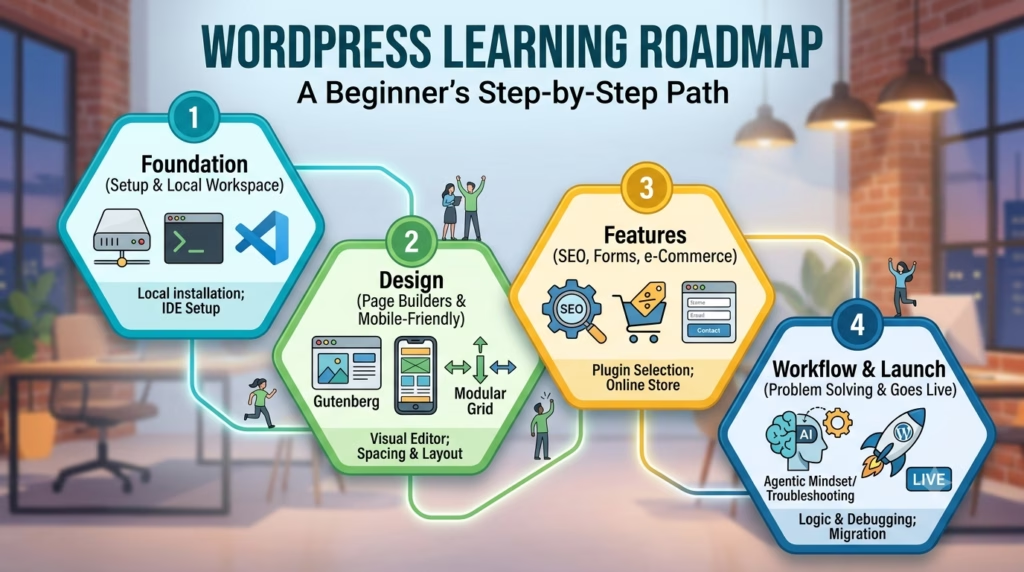
WordPress Learning Roadmap
Learning a new skill can feel overwhelming if you try to learn everything all at once.
To keep things easy, here is a clear, step-by-step roadmap to take you from absolute beginner to a confident website creator.
Phase 1: The Foundation (Days 1–5)
Your first step is getting familiar with the environment.
- Set Up Your Sandbox: Download a local development tool and set up a code editor (like VS Code). This lets you build and practice completely for free on your own computer without buying a domain or hosting yet.
- Explore the Dashboard: Learn your way around the WordPress admin area. Practice creating pages, writing posts, and changing basic settings.
Phase 2: Design with Visual Builders (Days 6–15)
Now, you’ll learn how to make your website look stunning using clean, modern layouts.
- Master the Grid: Learn how to use a visual block editor (like Gutenberg or Elementor). Focus on structured minimalism—keep your text readable, align your elements perfectly using modular grids, and use consistent spacing.
- Make it Mobile-Friendly: A huge number of people view websites on their phones. Learn how to tweak your designs so they look pixel-perfect on mobile screens, tablets, and desktops.
Phase 3: Add the Magic Features (Days 16–25)
This is where you turn a basic brochure website into a powerful business tool.
- Connect Essential Plugins: Learn how to select and configure the best plugins for key features. You will practice setting up contact forms, basic search engine optimization (SEO), and simple security tools.
- Build an Online Store: Experiment with setting up WooCommerce. Learn how to add a digital product, configure a shopping cart, and set up test payments.
Phase 4: The Agentic Workflow & Launch (Days 26–30)
By the final week, you are ready to assemble your skills and problem-solve like a professional.
- Adopt the AI Pair-Programmer Routine: Don’t let small bugs slow you down. Focus on establishing your core logic and layout first. If a piece of spacing is acting up or a button needs a custom tweak, use an AI tool as your coding assistant to generate a quick line of CSS to refine it.
- Launch Your First Project: Move a website from your local computer to a live web server so the entire world can see it.
Common Beginner Mistakes
When you are starting out, it is completely normal to trip up a few times.
However, knowing what hurdles lie ahead can save you days of frustration and help you build cleaner, faster websites from day one.
Here are the most common mistakes beginners make when learning WordPress and how you can avoid them:
1. Falling Into the “Tutorial Trap”
The biggest mistake is spending weeks watching endless video playlists without actually building anything. You might feel like you are learning, but real confidence comes from getting your hands dirty.
- The Fix: Build while you learn. Open your local setup, follow along with a guide step-by-step, and click the buttons yourself.
2. Over-Saturating with Complex Layouts
It is tempting to throw every single fancy animation, sliding banner, and flashy effect onto your first homepage. This usually results in a cluttered, confusing website that looks messy and takes forever to load.
- The Fix: Stick to structured minimalism. Focus on clean, modular layouts, plenty of breathing room (whitespace), consistent alignment, and easy-to-read text. Less is almost always more.
3. Installing Way Too Many Plugins
Think of plugins like apps on a smartphone. If you download a hundred apps, your phone’s battery drains, and the performance slows to a crawl.
In WordPress, overloading your site with unnecessary plugins ruins your loading speeds and creates security risks.
- The Fix: Be selective. Only install a plugin if it is absolutely essential for a specific feature, and always delete the ones you aren’t using.
4. Forgetting About Mobile Users
It is easy to get so caught up making your website look beautiful on your large laptop or desktop monitor that you completely forget to check how it looks on a phone.
In the real world, more than half of your traffic will come from mobile screens.
- The Fix: Make it a habit to constantly switch your visual builder to the mobile preview window. Always tweak your spacing and text sizes so it looks pixel-perfect for users on the go.
5. Skipping the Sandbox Phase
Many beginners rush out, buy expensive web hosting right away, and try to build their very first experimental site live on the internet.
This adds unnecessary pressure and financial costs while you are just trying to figure out where the buttons are.
- The Fix: Set up a free local installation on your computer first. Treat it like a private sandbox where you can break things, make mistakes, and practice completely stress-free.
Ready to move past the mistakes and start creating?
Your First Practical Project
You have learned the basics, explored the roadmap, and know what mistakes to avoid. Now, it is time for the most exciting part: building your very first real-world website.
Instead of jumping straight into a massive online store with hundreds of products, the smartest way to start is with a clean, high-converting project.
We recommend building a Single-Page Business Website (like a landing page for a local service provider, a freelancer, or a small business).
This project keeps things simple while forcing you to master the core logic of web design. Here is exactly what you will build, section by section:
1. The Header (Navigation)
Keep this clean and minimalist. Add a simple logo on the left and a few links on the right (like About, Services, and Contact).
2. The Hero Section (The Hook)
This is the very first thing people see when your site loads. It needs a powerful, bold headline that explains exactly what the business does, a subheadline with a tiny bit more detail, and a clear, bright Call-to-Action (CTA) button (like “Get a Free Quote” or “Book a Session”).
3. The Services Grid
This is where you practice your layout skills. Create a clean, 3-column modular grid. Each box will have a simple icon, a short title, and a brief sentence describing a specific service the business offers. Focus on consistent alignment and nice, even spacing around the text.
4. About & Social Proof
Add a section introducing the business owner with a friendly photo. Right below or next to it, include a couple of clean testimonial blocks from happy customers. Showing real human faces and reviews builds instant trust.
5. The Contact Form (The Goal)
Every great business website has a purpose, and usually, that purpose is getting leads. Build a simple, clean contact form where users can type in their name, email, and a message.
Get Started Right Now!
Remember, you don’t need to pay for web hosting to build this. Follow a step-by-step installation guide, set up your local workspace and VS Code editor on your computer, and treat this project as your private sandbox.
Establish your layout logic first, use an AI pair-programmer to help you tweak the spacing if you get stuck, and focus on building something you are proud to show off!
Your Journey Starts with a Single Click
Learning WordPress isn’t about memorizing complex lines of code or becoming a computer science genius overnight.
It is about understanding layout logic, mastering intuitive visual tools, and adopting a modern, problem-solving mindset.
By starting locally in your own private sandbox, sticking to clean, modular designs, and using AI as your ultimate debugging pair-programmer, you can bypass the usual frustrations and start creating professional websites faster than you ever thought possible.
The mistakes we covered are completely preventable—as long as you choose to build instead of just watching. Now, you have a choice: you can keep scrolling through endless tutorials, or you can actually start building.
Turn Theory Into Action
If you are ready to stop guessing and start creating, skip the tutorial trap entirely.
Our complete, hands-on WordPress course walks you through setting up your local workspace, building clean layouts from scratch, and mastering real-world web creation step by step.
Click Here to Join Our Practical WordPress Course on Udemy and Build Your First Project Today!
Discover more from Prime Inspire
Subscribe to get the latest posts sent to your email.


